
Run your entire production in one place.
For companies that make things. Products, materials, suppliers, quotes, orders, production and customers, all connected: buy materials at the best price, know where every order stands and see which customers are buying more or less.
- Mac
- Windows
- iPhone
- Android
- iPad
- Web
Running production shouldn't mean managing dozens of spreadsheets.
Spreadsheets, inboxes, chats and people's heads: every order depends on someone chasing it.
- Price lists in Excel
- Orders lost in email
- Updates over WhatsApp
- Calls to suppliers
- Notes on paper
- Deadlines in someone's head
Nobody sees the whole picture
Sales, purchasing and production each keep their own version of the truth.
With MOW: every week's production on one screenTime lost chasing information
Customers call to ask about their orders, and someone answers from memory or goes looking.
With MOW: clients follow everything in their own portalBuying without comparing prices
Materials go to the usual supplier, not the cheapest one. By year end, the difference adds up.
With MOW: the best-priced supplier, always in viewOne connected flow, from product to customer.
Each part of your operation feeds the next. A supplier updates a price and your costs know it. An order moves forward and your customer sees it.

How it works
Seven steps, one system. Each one builds on the one before.
- 01
Set up your products
Specs, dimensions, images, notes, tasks and files, with price variations per material.
- 02
Link the materials
Choose the materials each product needs, grouped by type.
- 03
Connect your suppliers
Suppliers keep their prices up to date in their portal. MOW shows the supplier with the best price.
- 04
Send the quote
Pick the customer and the products. Prices come from your price tables.
- 05
Create the order
Create the order with products, quantities and delivery dates. Request materials by email in one click.
- 06
Plan the production
Follow each product's status and see the workload by week, month or year.
- 07
Keep customers informed
Customers follow their orders in their portal and comment where the work happens.
The details that save time and money
Real MOW screens. Each one replaces a phone call, an email or a spreadsheet.
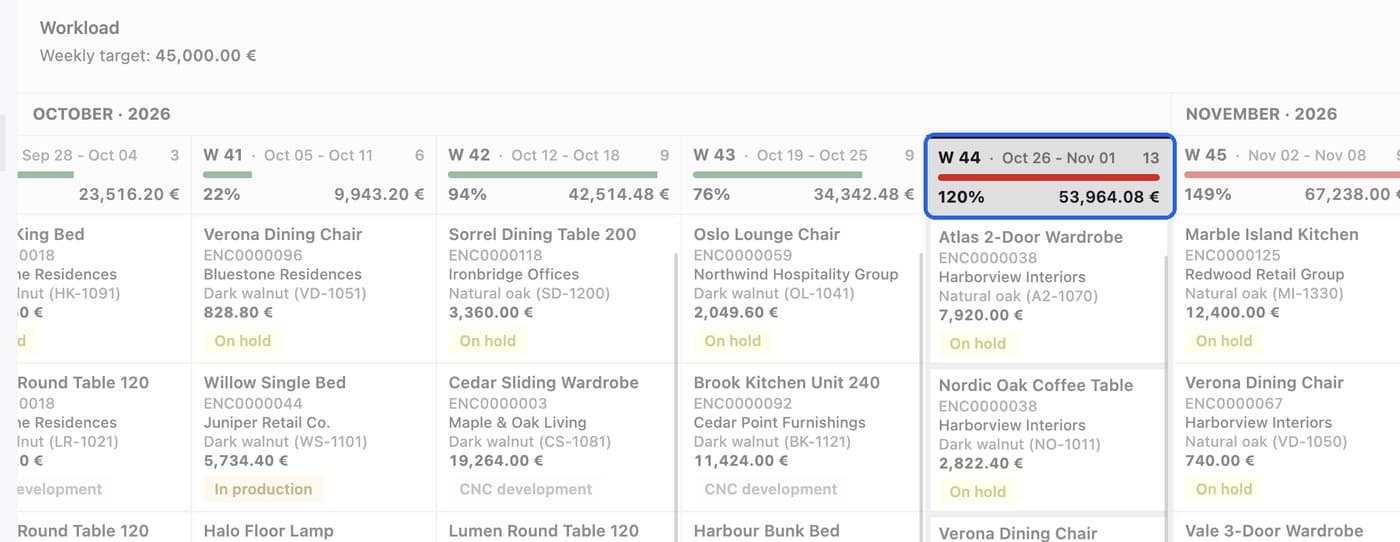
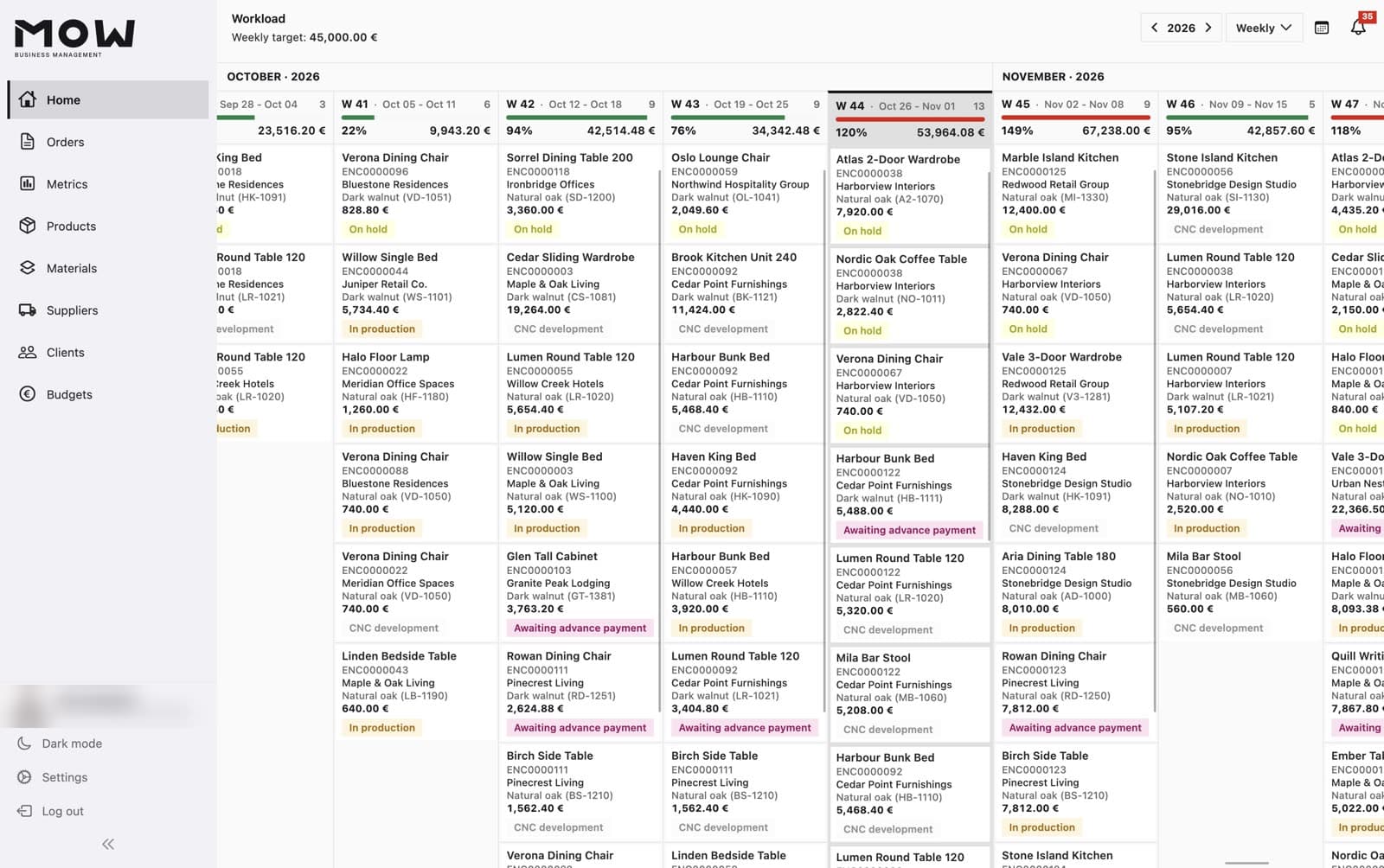
Spot overloaded weeks early
Each week shows the planned value against your weekly target. Above 100% it turns red, before a delivery date is at risk.
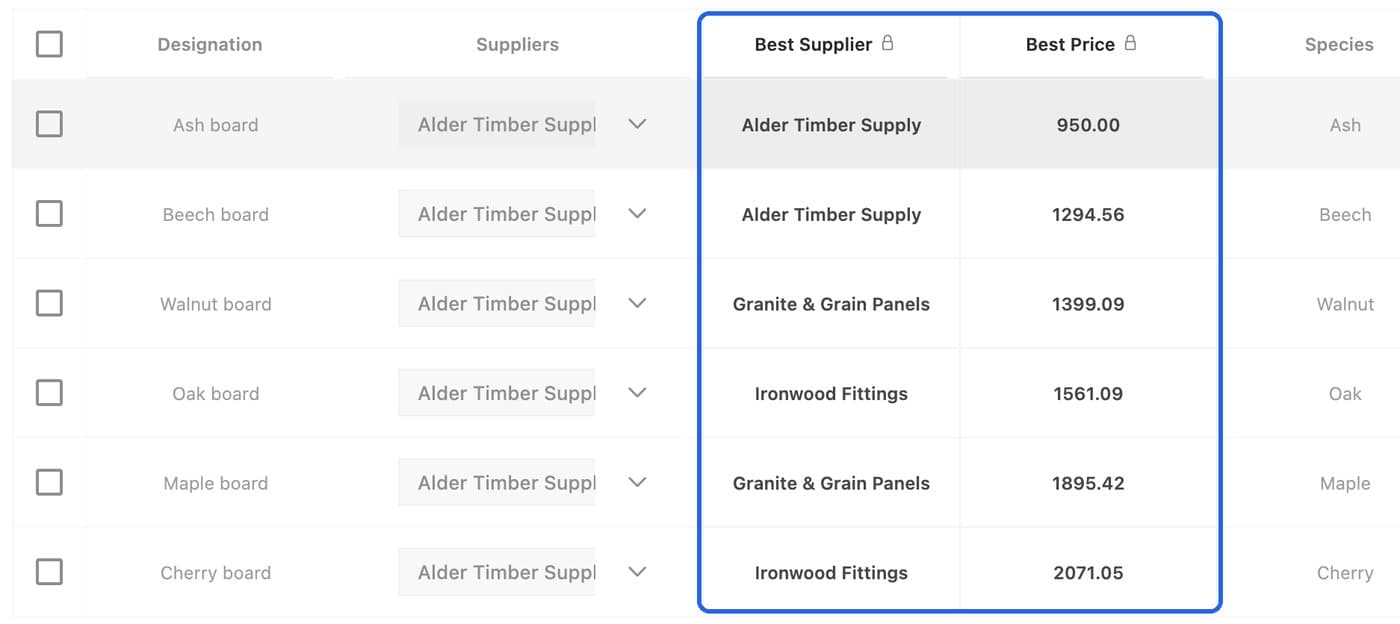
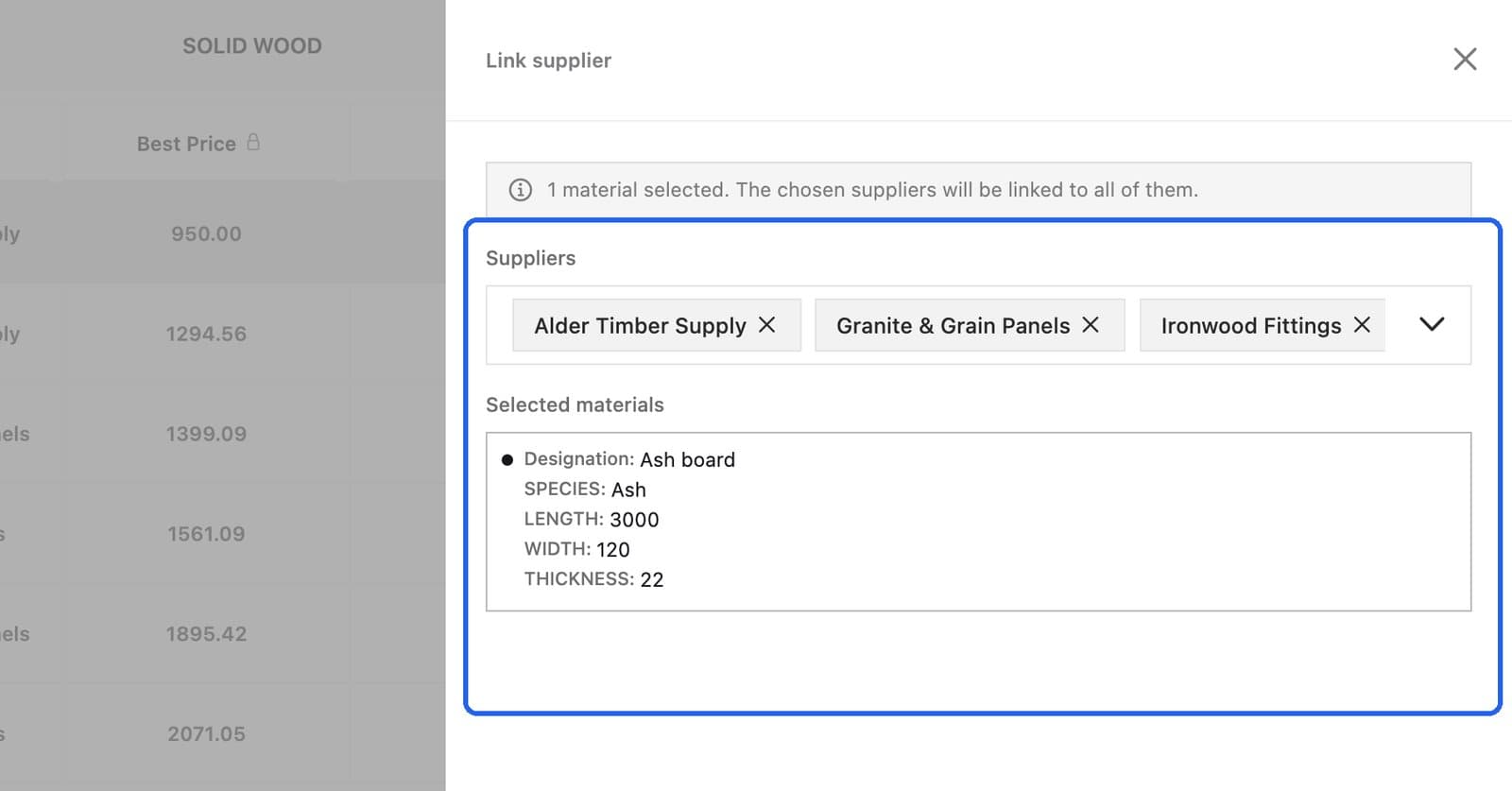
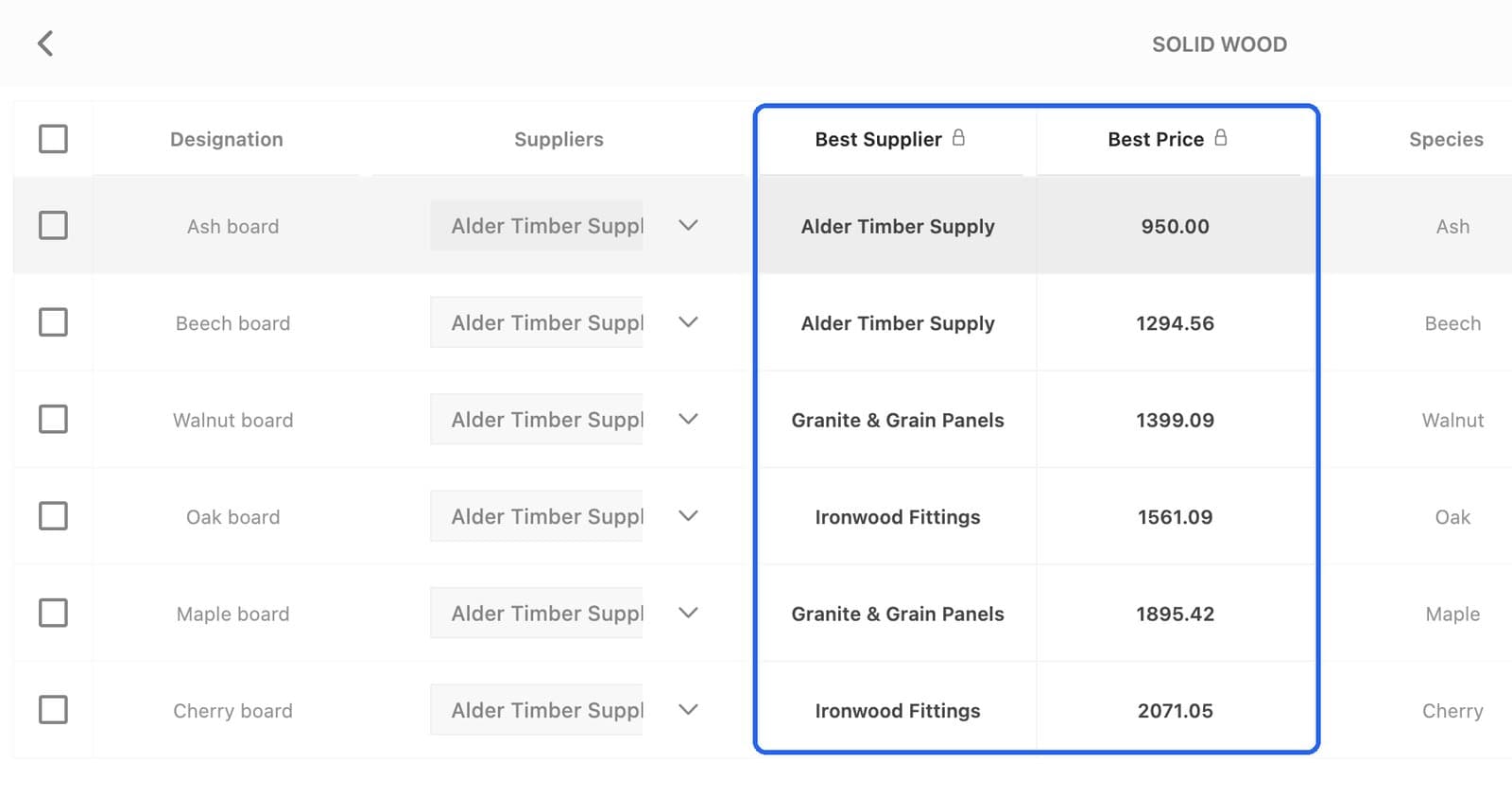
The supplier with the best price, per material
MOW compares every supplier's price and shows the cheapest one. Every material bought at the best price adds up to real savings by the end of the year.
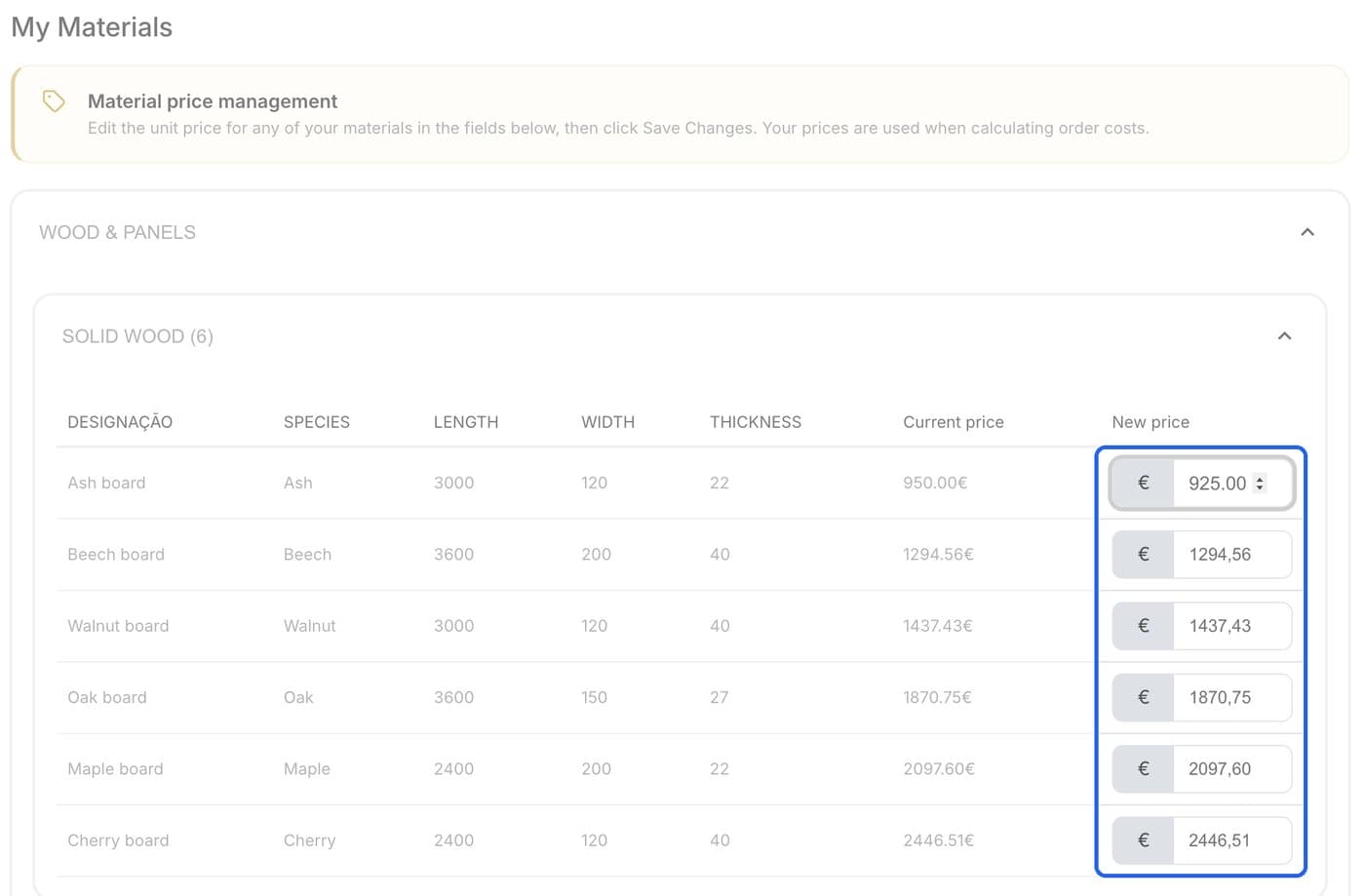
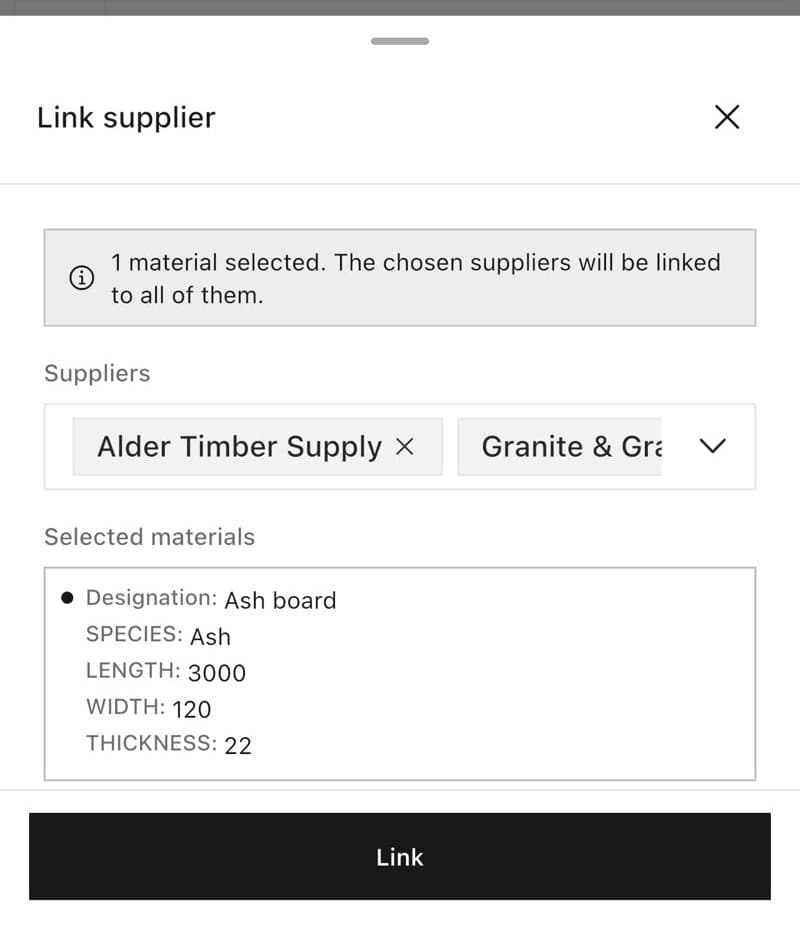
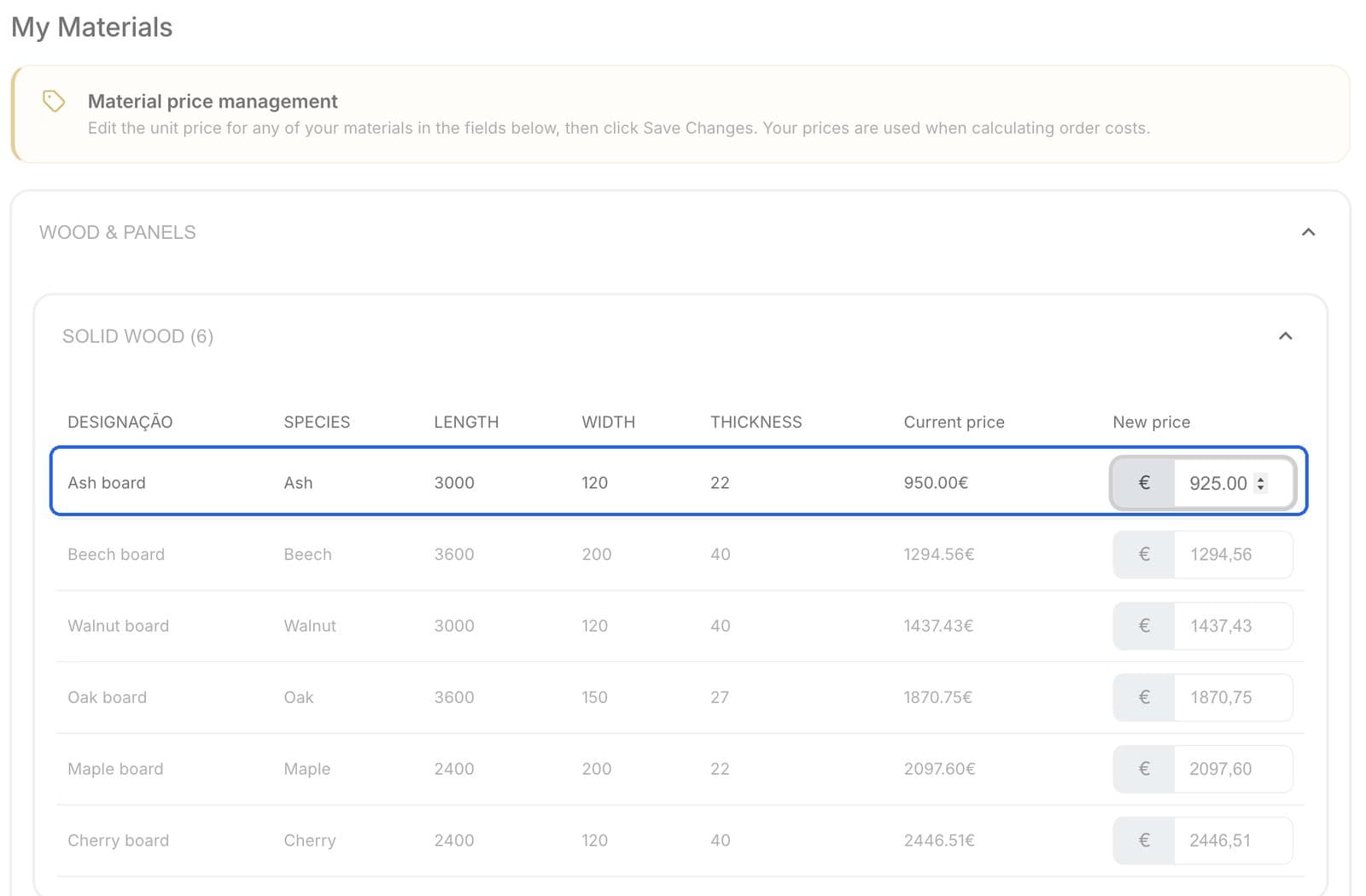
Suppliers update their own prices
In their own portal, with no emails or price lists to copy by hand.
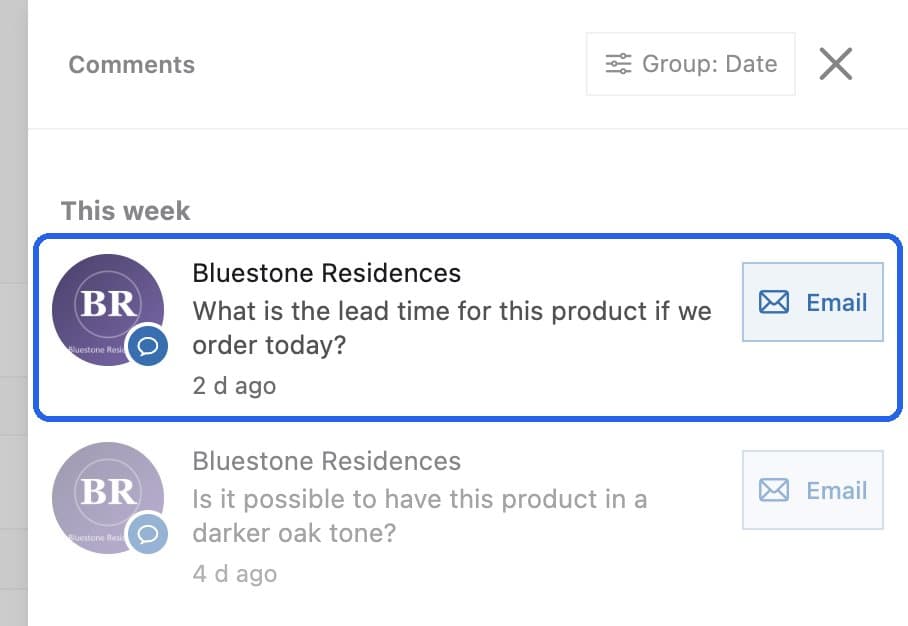
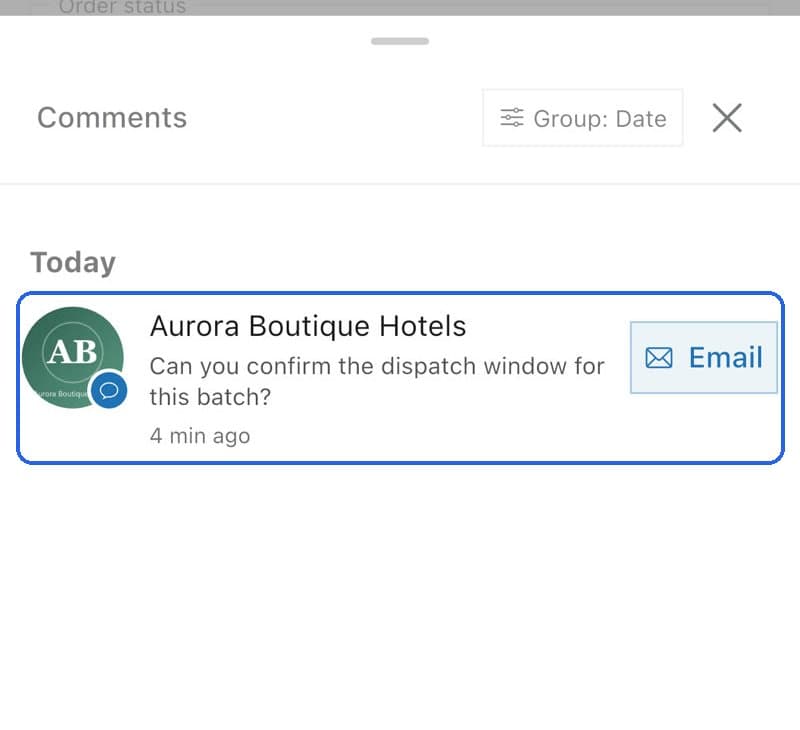
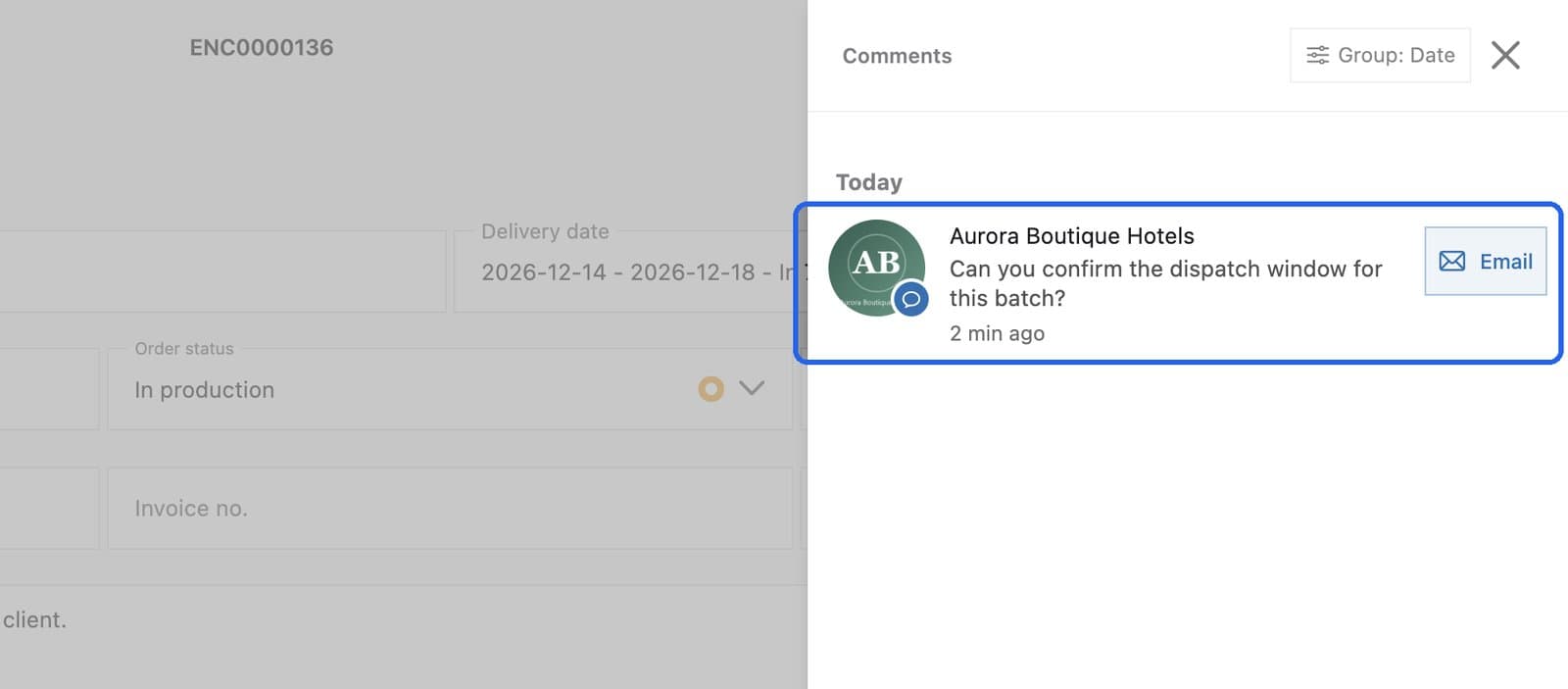
Customer questions, in context
Comments arrive on the product or order they're about, and you reply by email in one click.
What changes day to day
| Without MOW | With MOW |
|---|---|
| OrdersCreating an order took a long time, between paper, spreadsheets and data copied by hand | Create an order in seconds, with products, materials and prices already in MOW |
| PurchasingAsk 3 suppliers for prices by email and copy them into Excel | Suppliers update prices in their portal and MOW shows the cheapest |
| ClientsCustomers call to ask how their order is going | Customers follow their orders and production in their own portal |
| ProductionFind out a week is overloaded when the delivery is already late | See each week against your target, with overloaded weeks in red |
| Shop floorProduction sheets made by hand, always out of date | Production sheet as a PDF, with a QR code that opens the app in the right place |
| ProductProduct specs, notes and drawings scattered across folders and emails | Everything about a product in one place: materials, notes, tasks and files |
| SalesOnly noticing a customer is buying less when it's too late | Each customer's month-by-month evolution, with revenue and orders in one dashboard |
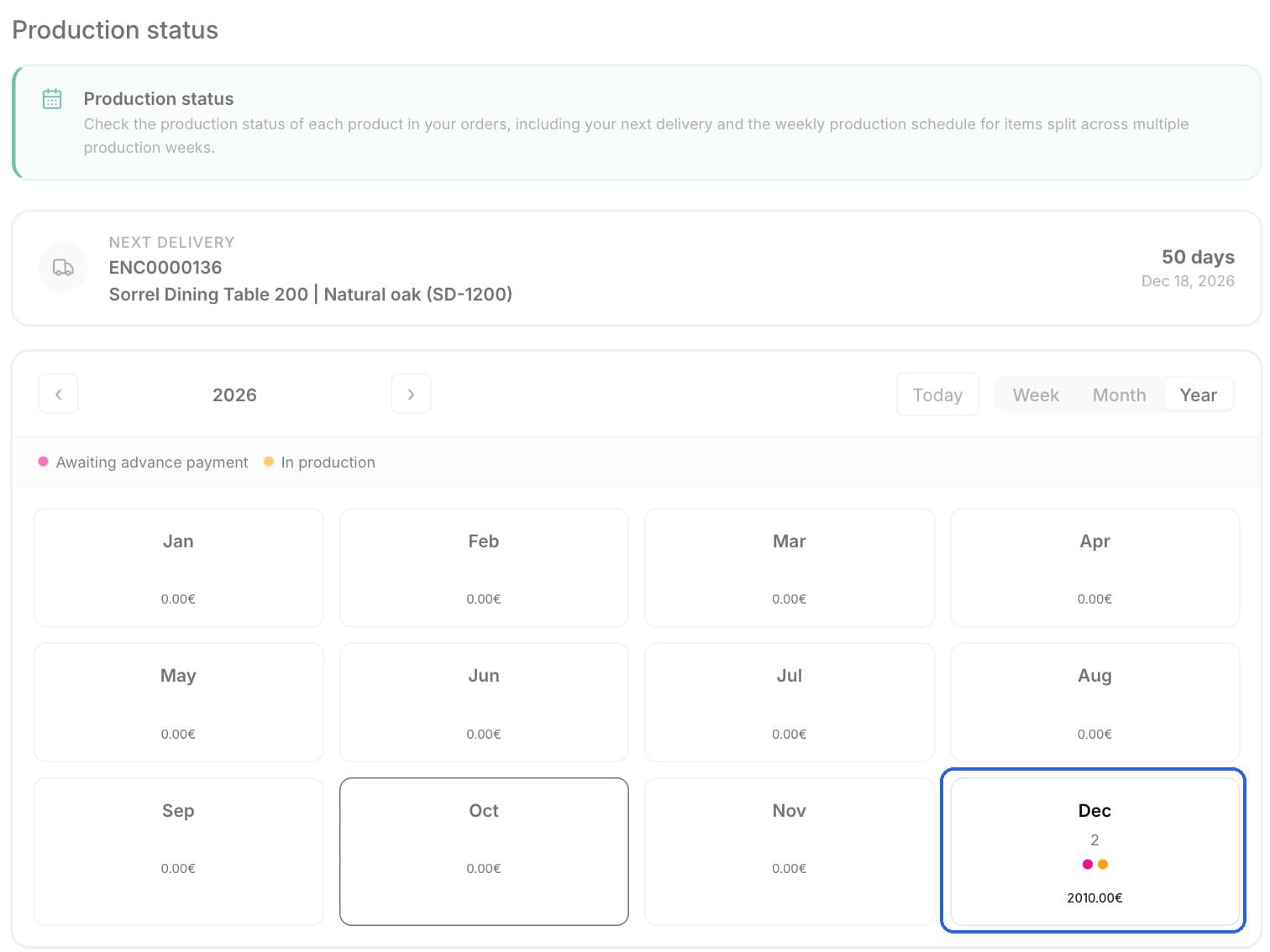
Know what needs to be done. And when.
The workload shows every order in the week it is due, and how much of your weekly target each week already covers. Switch to monthly or yearly to plan further ahead.
- Weekly target, with the planned value and percentage for each week
- Every order with product, customer, material and value
- Order statuses you configure to match your production stages
- Delivery dates and completed quantities per product
- iPads and tablets on the shop floor, so the team updates progress at their station
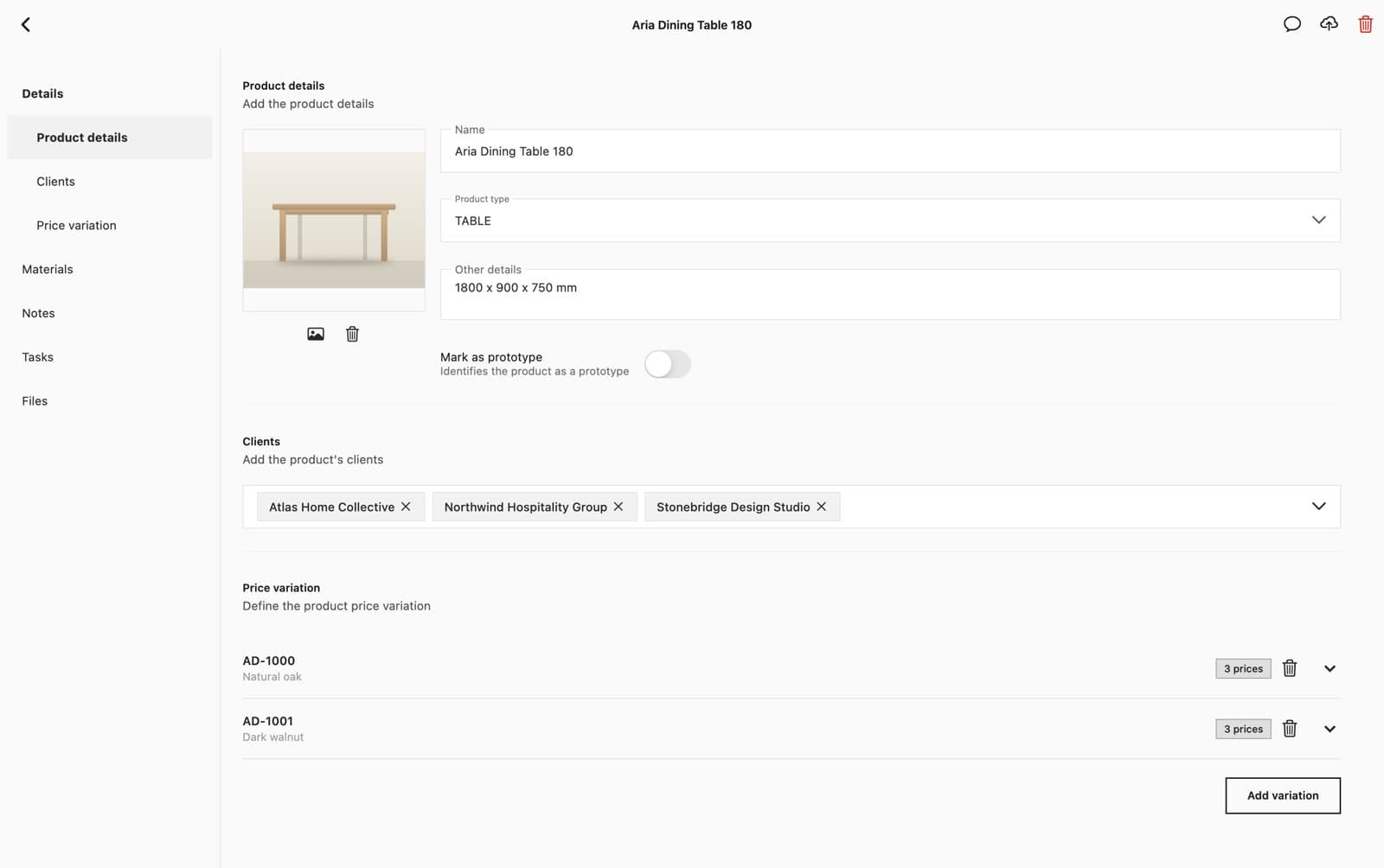
Know your products. Control your costs.
Every product holds its specs, materials, notes, tasks and files. Every material shows who supplies it and who has the best price.
- Specs, dimensions and images for each product
- Price variations per material reference
- Materials grouped by type and linked to each product
- The supplier with the best price per material, always current
- Notes, tasks and technical files on each product
Suppliers keep their prices up to date. You always buy at the best price.
Each supplier gets their own portal to update the prices of the materials they sell. MOW compares them for you, with no emails or price lists to copy. Buying every material at the best price makes a real difference to your costs by the end of the year.
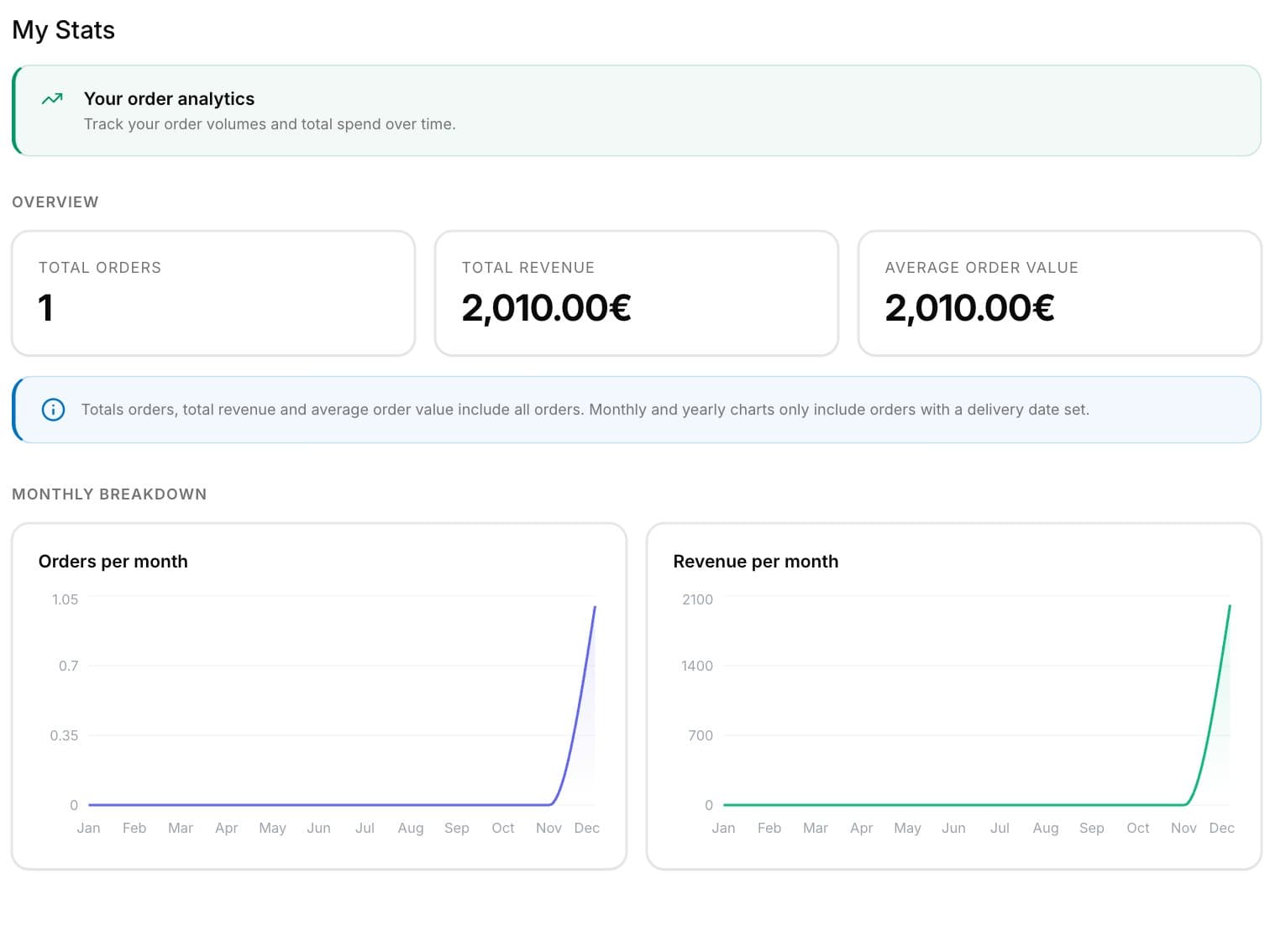
Customers follow their orders. Without calling you.
Your customers log in to their own portal to see their orders, the production calendar and their statistics, and to comment on orders and products.
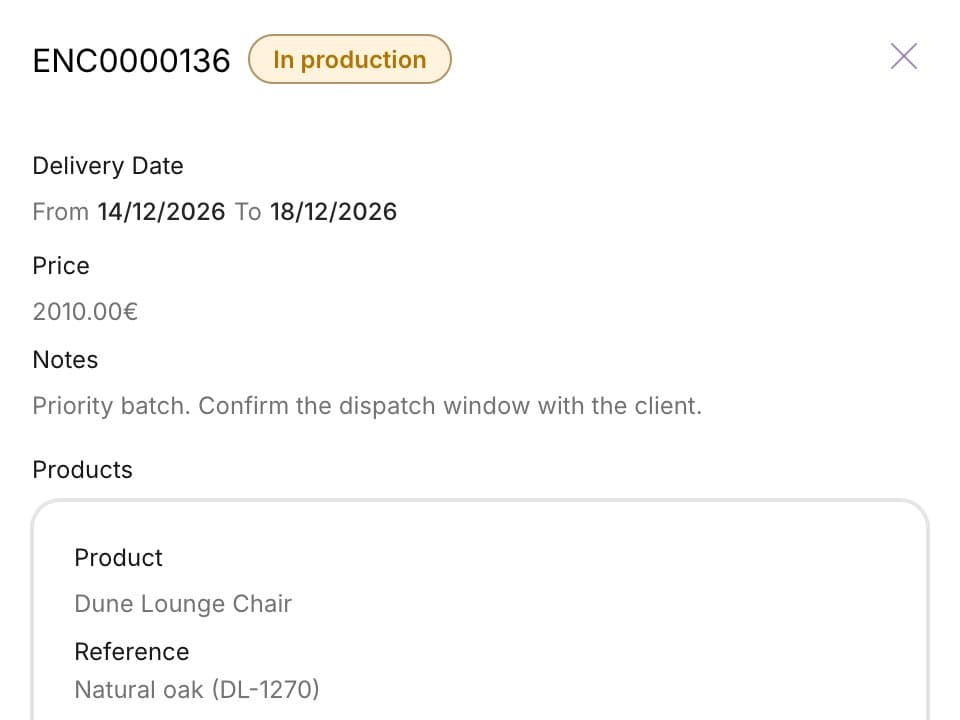
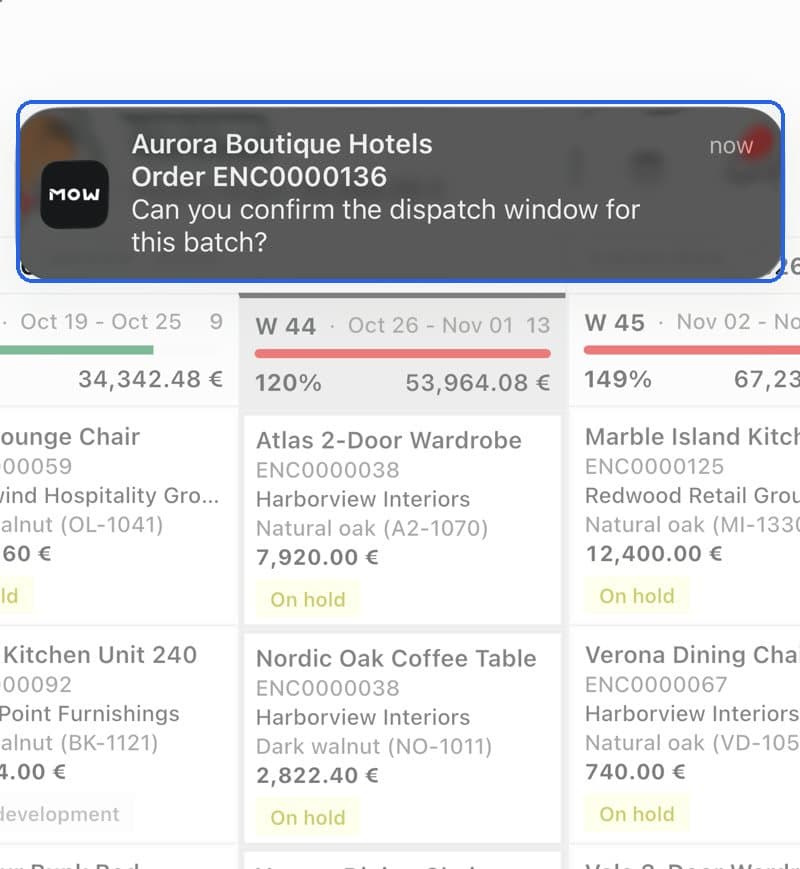
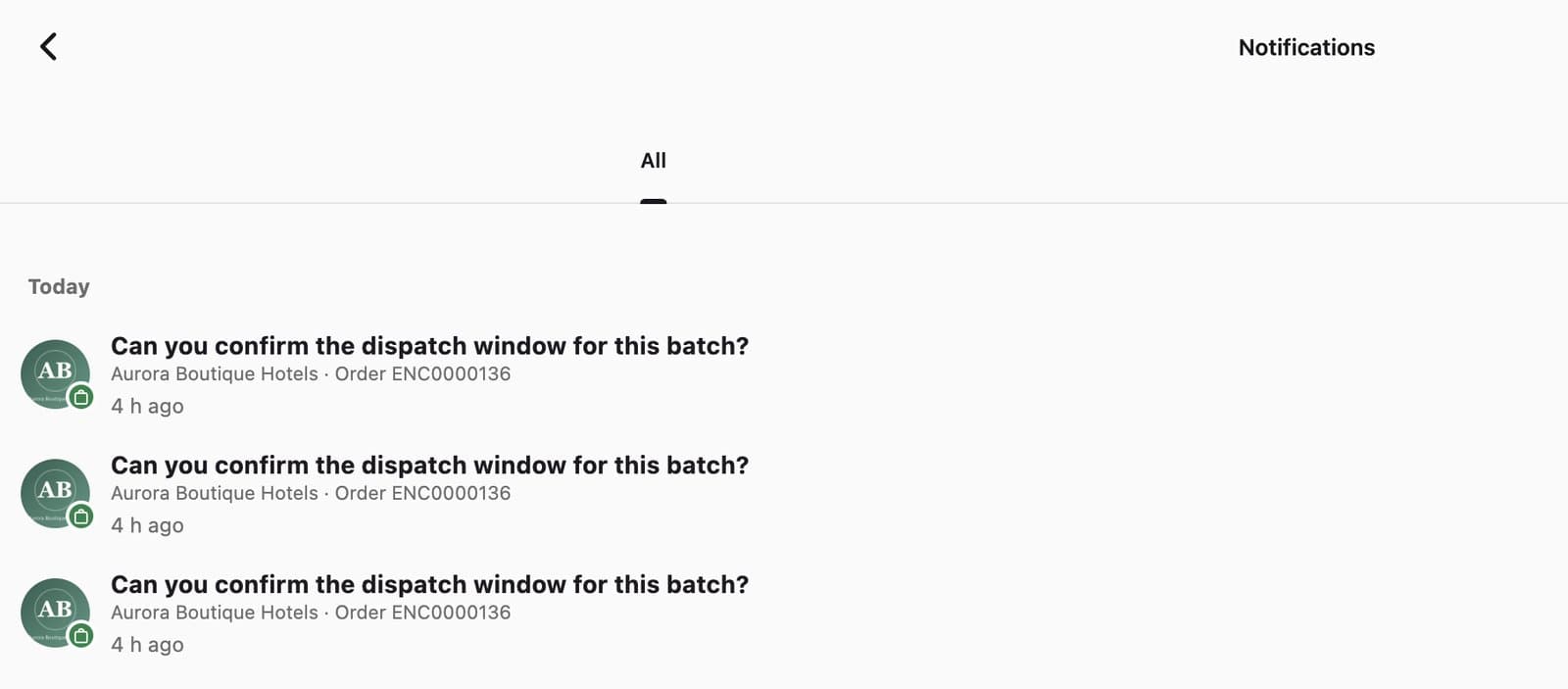
Keep every conversation where the work happens.
Comments live on the order or product they are about. Your team is notified on phone and computer and replies with the full context in front of them.
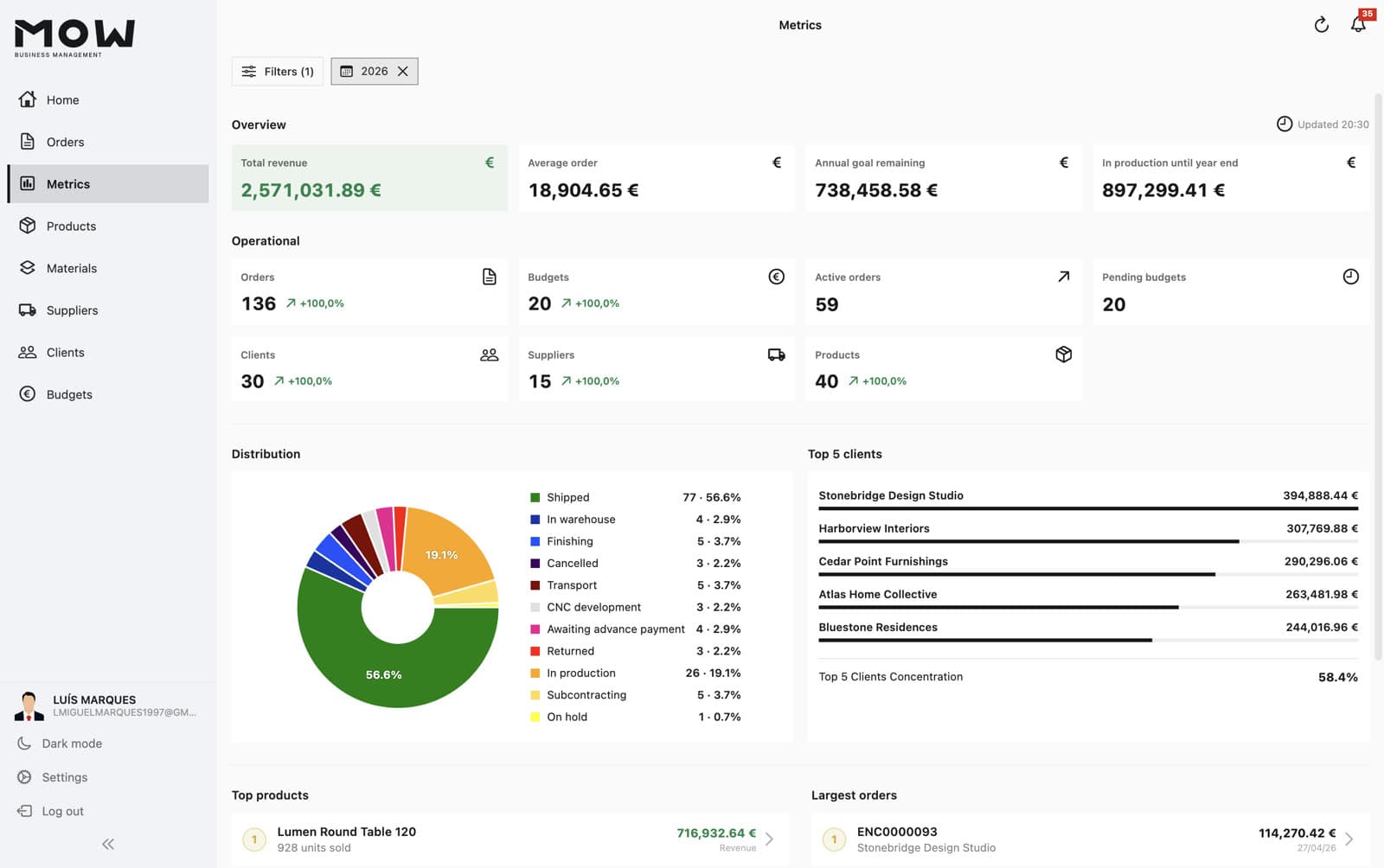
See how the business is doing. And which customers are buying less.
Revenue, orders and trends in one dashboard, with each customer's month-by-month evolution. See who is growing and who is buying less, in time to act.
- Total revenue, average order and progress towards the yearly target
- Active orders, pending quotes and the status of every order
- Top customers and each one's share of revenue
- Monthly trend per customer, to see who is buying more or less
- Best-selling products and largest orders
Built for your team
Everyone works on the same data, with the access and the device that suit their role.
Permissions by role
Create user types and choose exactly what each one can see and do.
In your language
Each person chooses the app language in their own settings.
On every device
Mac, Windows, iPhone and Android in the office, iPads and tablets on the floor, and a web portal for customers and suppliers.
Your data, looked after
Hosted on AWS. We import what you already have in Excel and support you by email and phone, with no lock-in.
Questions before you start
How long does it take to get MOW running?
It depends on how many products, clients and suppliers you have. In the demo we learn about your operation and give you a concrete timeline.
Can I bring the data I already have in Excel?
Yes. We import your clients, products and prices from the spreadsheets you already use.
Which devices does it run on?
Mac, Windows, iPhone and Android for your team, iPads or tablets on the shop floor, and a web portal for clients and suppliers.
Does it work offline?
No. MOW needs an internet connection to keep everyone in sync in real time.
Does it connect to my invoicing software?
There is no ready-made integration yet, but we can build one tailored to your company.
Where is my data stored?
On AWS (Amazon Web Services) servers.
What support do I get? Is there a lock-in?
Support by email and phone. There is no minimum contract period.
Bring your entire operation together.
Book a demo and we'll show you MOW with examples from your kind of business. No commitment.
Talk to our team · info@mayonetech.com